
...
Documentation for basic Eloqua how-tos can be found here: https://kb.wisc.edu/eloqua/
...
- (UW-Madison wide)
- How to Request access
- How to Login
- Building an email in Eloqua
- Common pitfalls/mistakes to watch out for
- Accessibility quick tips
Uploading Contacts, Creating Segments, and sending emails
- File Organization within Eloqua
- WSB Brand Guidelines for emails
- How to create a non-Eloqua sent email in Eloqua
How to Login to Eloqua:
- Open up the Firefox browser (you may need to download the most recent version). Eloqua is buggy with other browsers.
- Go to login.eloqua.com
- Ignore the sign in fields and select "Sign in with SSO or another account"
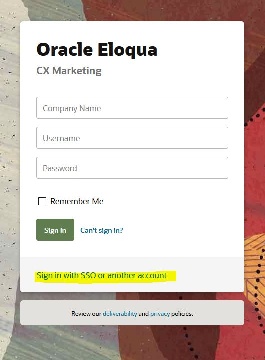
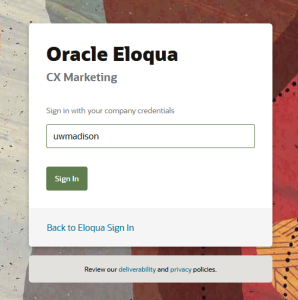
- In the "Company Name" field, type in "uwmadison" (not case sensitive) and click "Sign in"
- It will redirect you to your typical wisc.edu login, where you can login as usual.
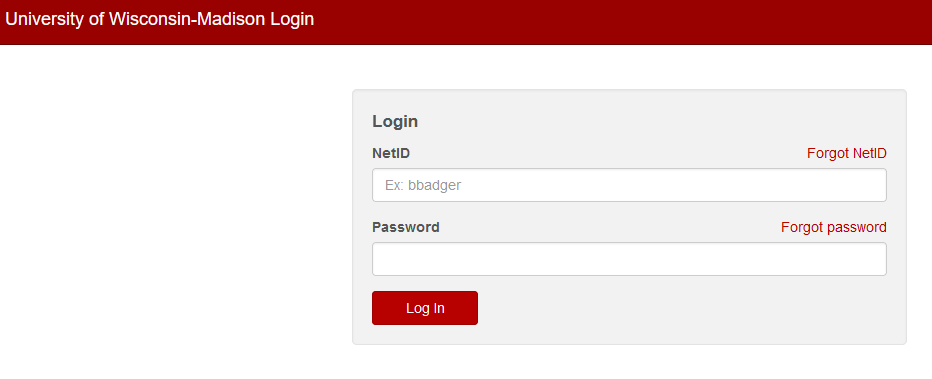
- If you get an error, you probably need to request Eloqua access
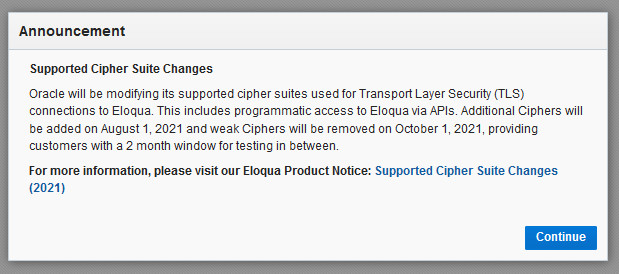
- You may see an Announcement page, you can ignore this and click "Continue"
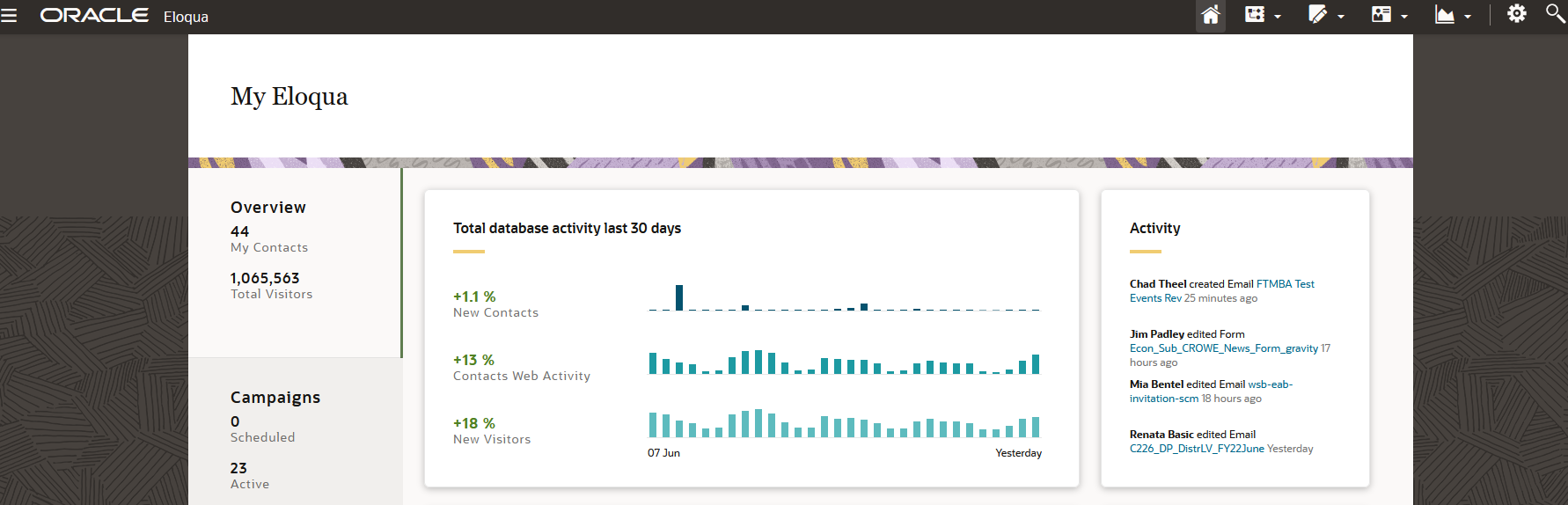
- Otherwise, you will be brought to the main Eloqua page. It will look something like this.
...
- Add alternate text to all photos, especially photos with text.
- After you've inserted a photo into the email, select it, and type into the alt text field in the left sidebar.
- Alt text should include any text that's within the photo, or a basic description of what's in the photo. If it's a headshot of a person, simple type in their name.
- Only use all caps for acronyms. Screen readers read anything in all caps letter by letter, not as a word. If you wish to emphasize text, use bold. (don't use underlines, those should be reserved for links only).
- Do not use phrases like "click here", "use this link" for links/buttons. Link text should be an action that makes it clear where the user is going, with as much context as possible. "Sign up for our newsletter" "Read more articles" "Apply now" are all good examples of link text.
- Likewise, don't include the entire URL as text in your email. Don't use: "https://www.reallylongurl.com/morewordscontinously"
- Pay attention to header hierarchy. In the case of our email templates, the H1 is used exclusively for the department name, and after that the main headers of the email are H2s. H3s should be used as subheaders of H2s.
- Use sentence case for links, buttons, and headings
Uploading Contacts, Creating Segments, and
...
Sending Emails
Unable to click Activate on your email? You probably don't have full access.
| HTML |
|---|
<iframe id="kaltura_player" src="https://cdnapisec.kaltura.com/p/1660902/sp/166090200/embedIframeJs/uiconf_id/25717641/partner_id/1660902?iframeembed=true&playerId=kaltura_player&entry_id=1_26gzug08&flashvars[streamerType]=auto&flashvars[localizationCode]=en_US&flashvars[leadWithHTML5]=true&flashvars[sideBarContainer.plugin]=true&flashvars[sideBarContainer.position]=left&flashvars[sideBarContainer.clickToClose]=true&flashvars[chapters.plugin]=true&flashvars[chapters.layout]=vertical&flashvars[chapters.thumbnailRotator]=false&flashvars[streamSelector.plugin]=true&flashvars[EmbedPlayer.SpinnerTarget]=videoHolder&flashvars[dualScreen.plugin]=true&flashvars[Kaltura.addCrossoriginToIframe]=true&&wid=1_86dm1mwm" width="649" height="401" allowfullscreen webkitallowfullscreen mozAllowFullScreen allow="autoplay *; fullscreen *; encrypted-media *" frameborder="0" title="Kaltura Player"></iframe> |
...