
...
| Expand | |||
|---|---|---|---|
| |||
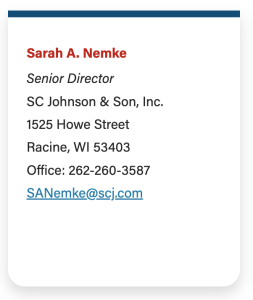
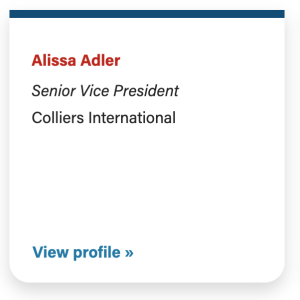
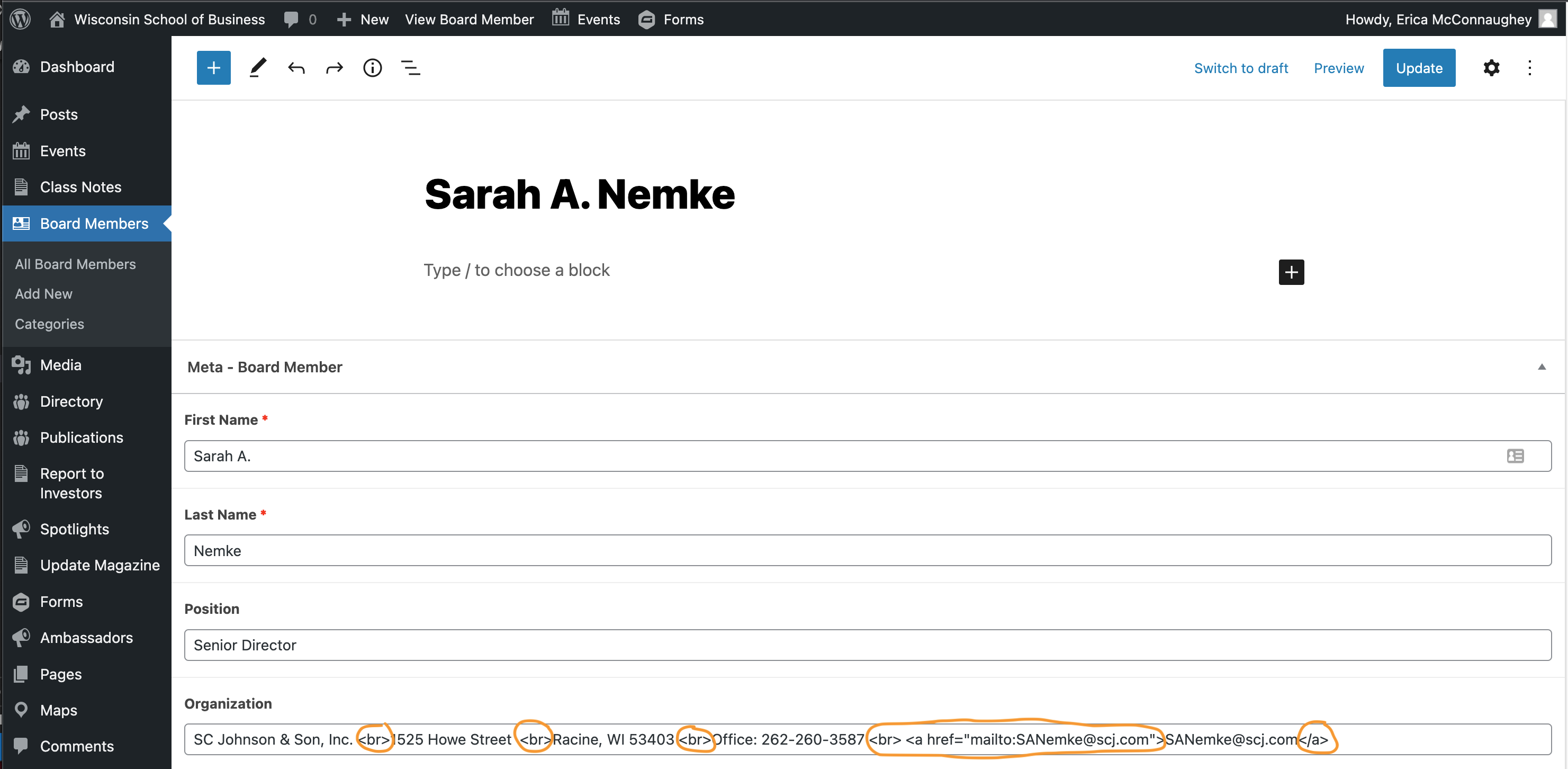
AIS Board Members display different information
When editing an AIS board member's info, you will see HTML tags enclosed in angle brackets. These affect how the information is displayed on the website. Be sure to leave these alone. If an angle bracket "<" or any other part of the HTML is deleted or changed, it will affect what is displayed on the website, and it may look broken (e.g. you may see some of the HTML displayed on the page). The only exception here is if you are updating someone's email address. You will need to update the email address in two places (one displays the email on the page, the other creates the link so that a user can click on the email address and start writing an email easily) If you have any issues with updating this content, please submit a web ticket so the web team can help you fix it.
|
...
...
Deleting a Board Member
IMPORTANT: Before you delete a board member, make sure their profile is not displayed on another advisory board at WSB.
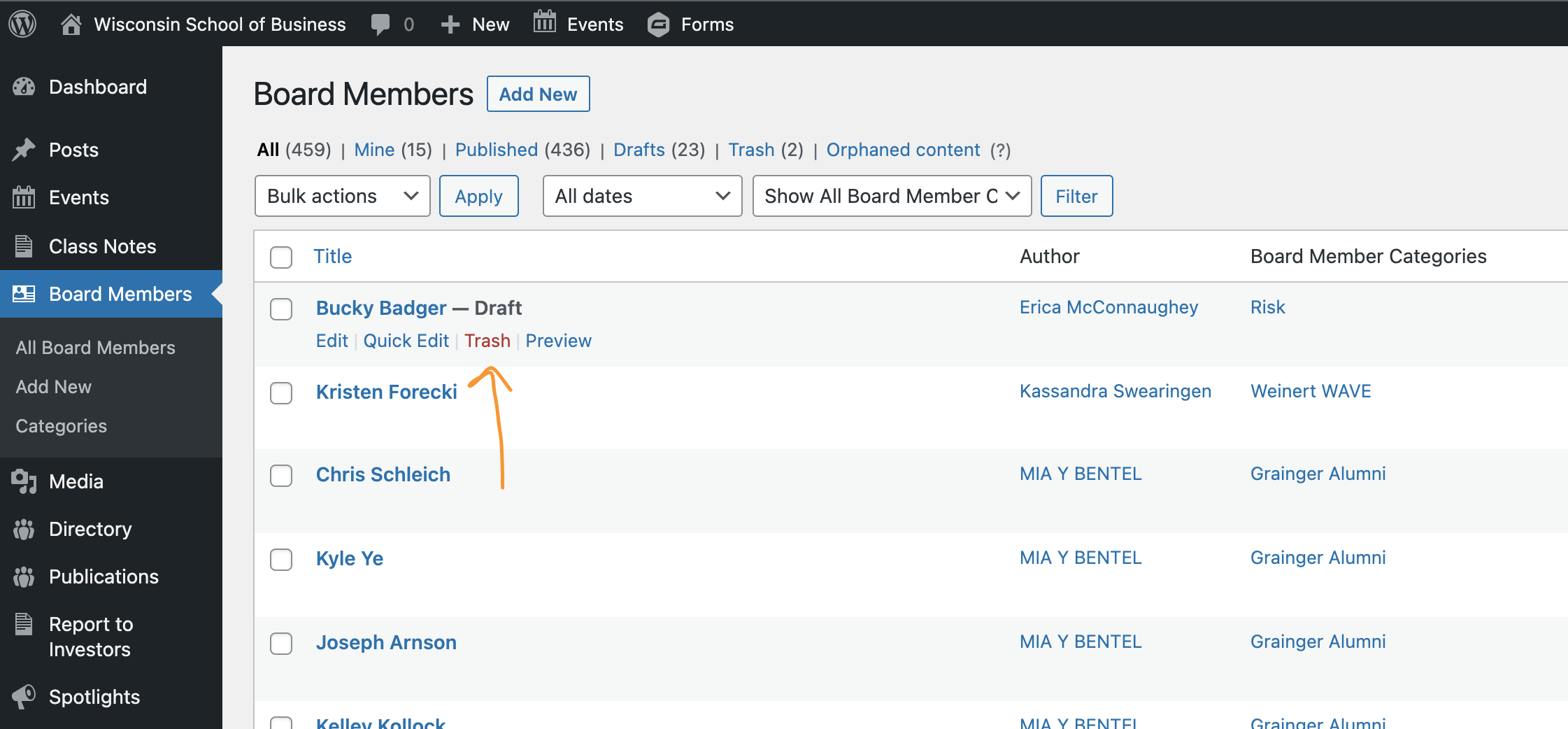
From the Dashboard
- Navigate to Board Members in the left menu of the dashboard
- Find the board member you want to delete in the list or search for them on the upper righthand side.
- Look at the category/categories selected for the individual.
- If there are multiple categories, DO NOT delete the profile. Simply open the profile to edit it and remove your board category from the profile. Save your changes by clicking "Update" in the upper right corner.
- If your category is the only one on the profile, it is safe to delete it. Hover over the person's name to see options appear. Click Trash to delete.
From a Board Member's Profile
- On the right side of the editor, select the Board Member tab.
- Look at the category/categories selected for the individual.
- If there are multiple categories, DO NOT delete the profile. Simply remove your board category from the profile. Save your changes by clicking "Update" in the upper right corner.
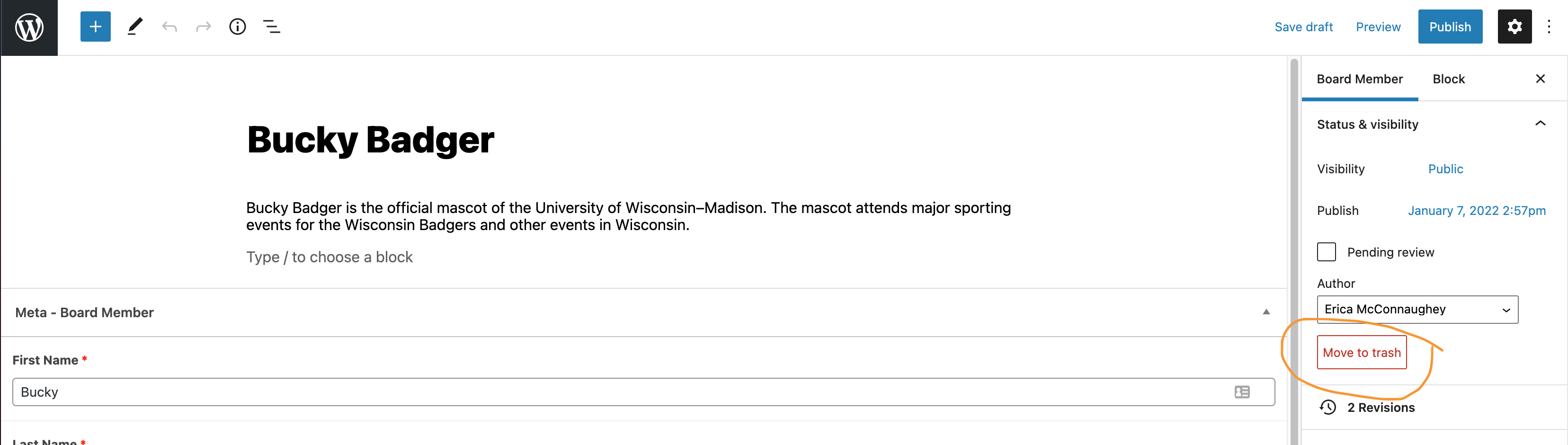
- If your category is the only one on the profile, it is safe to delete it. Click Move to Trash.
| Anchor | ||||
|---|---|---|---|---|
|
...