
...
- For Windows - Ctrl+Shift+V
- For Macs - Option+Cmd+Shift+V
Adding Blocks
Tip: Click the + sign on your post, then use the keyword "newsroom" to pull up the best blocks for News posts.
Aside Callout
- coming soon
Callout Box
- coming soon
Full-width Background
- coming soon
Horizontal Image Text
- coming soon
Image Collage
- coming soon
Lazy load Youtube Video
- coming soon
Categories
- In the right menu, uncheck Uncategorized and pick the one category this article falls under
- Category options: School News, Faculty Insights, Alumni in Action, Student Experience, Dean's Corner, Press Releases
- Note: we have a standard set of News categories. Do not add a new category unless you have prior approval to do so.
...
- Every image must have alt text. Please add it to existing images that are missing it. Learn more about alt text for images.
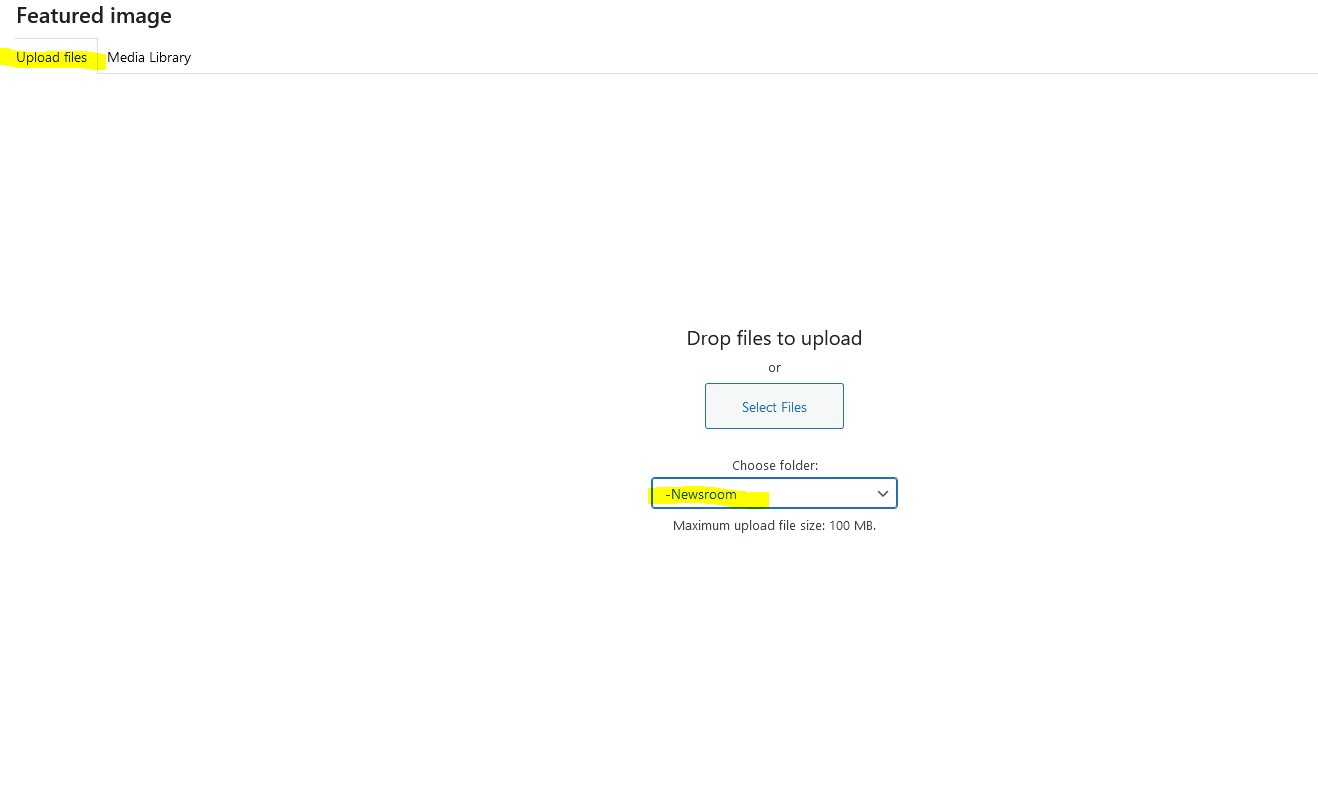
- Be sure to upload new images to the Blogs > Newsroom media library folder in WP.
- We can add more folders inside Newsroom (by year or by category) if you want to add more organization.
Adding Blocks (optional)
Tip: Click the + sign on your post, then use the keyword "newsroom" to pull up the best blocks for News posts.
Aside Callout
- coming soon
Callout Box
- coming soon
Full-width Background
- coming soon
Horizontal Image Text
- coming soon
Image Collage
- coming soon
Lazy load Youtube Video
- coming soon
Meta fields
Find these under the post content, within Meta - post field group
...