
...
- Be logged into the WSB YT account. (see directions above)
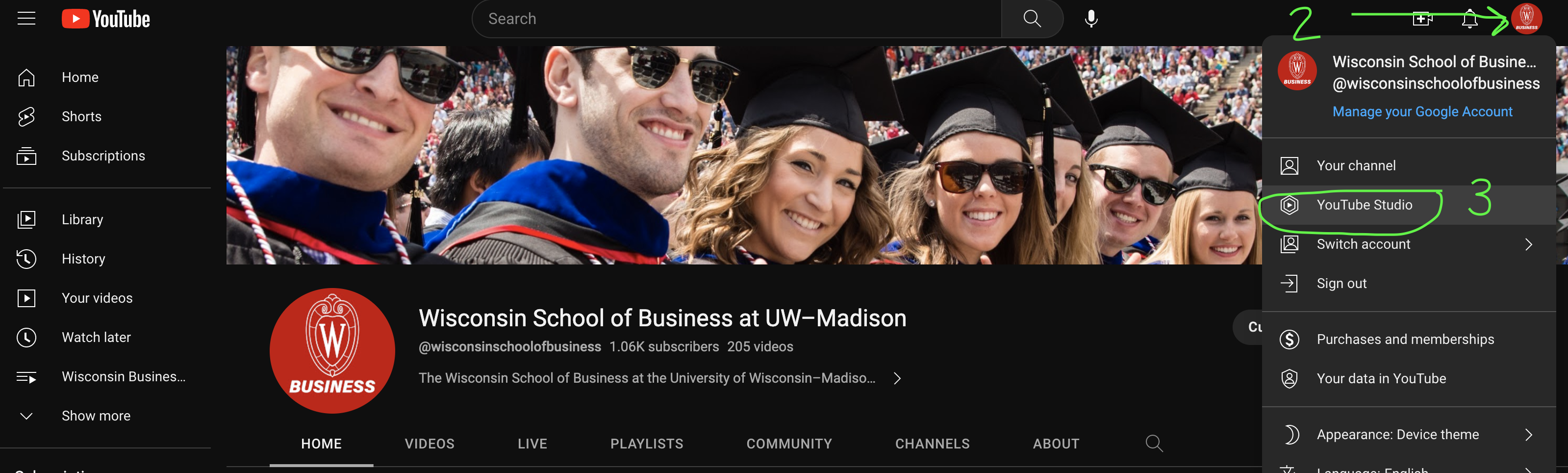
- Click the user profile button in the upper right corner of the browser.
- Select "YouTube Studio" from the menu or navigate to studio.youtube.com
Edit Your Video/Podcast (before uploading to YT)
...
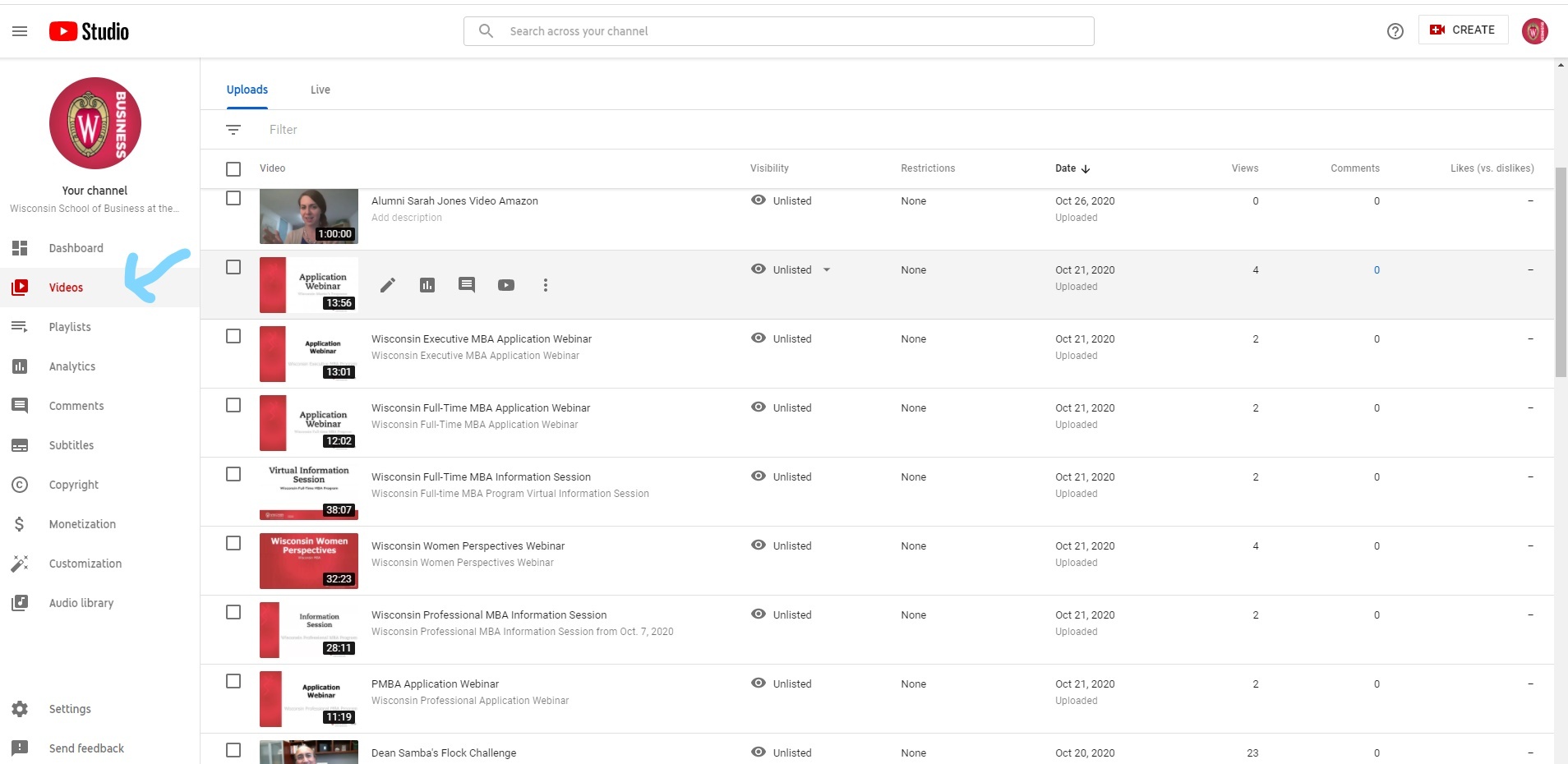
- Find the video in the Video section you want to edit and click on the video
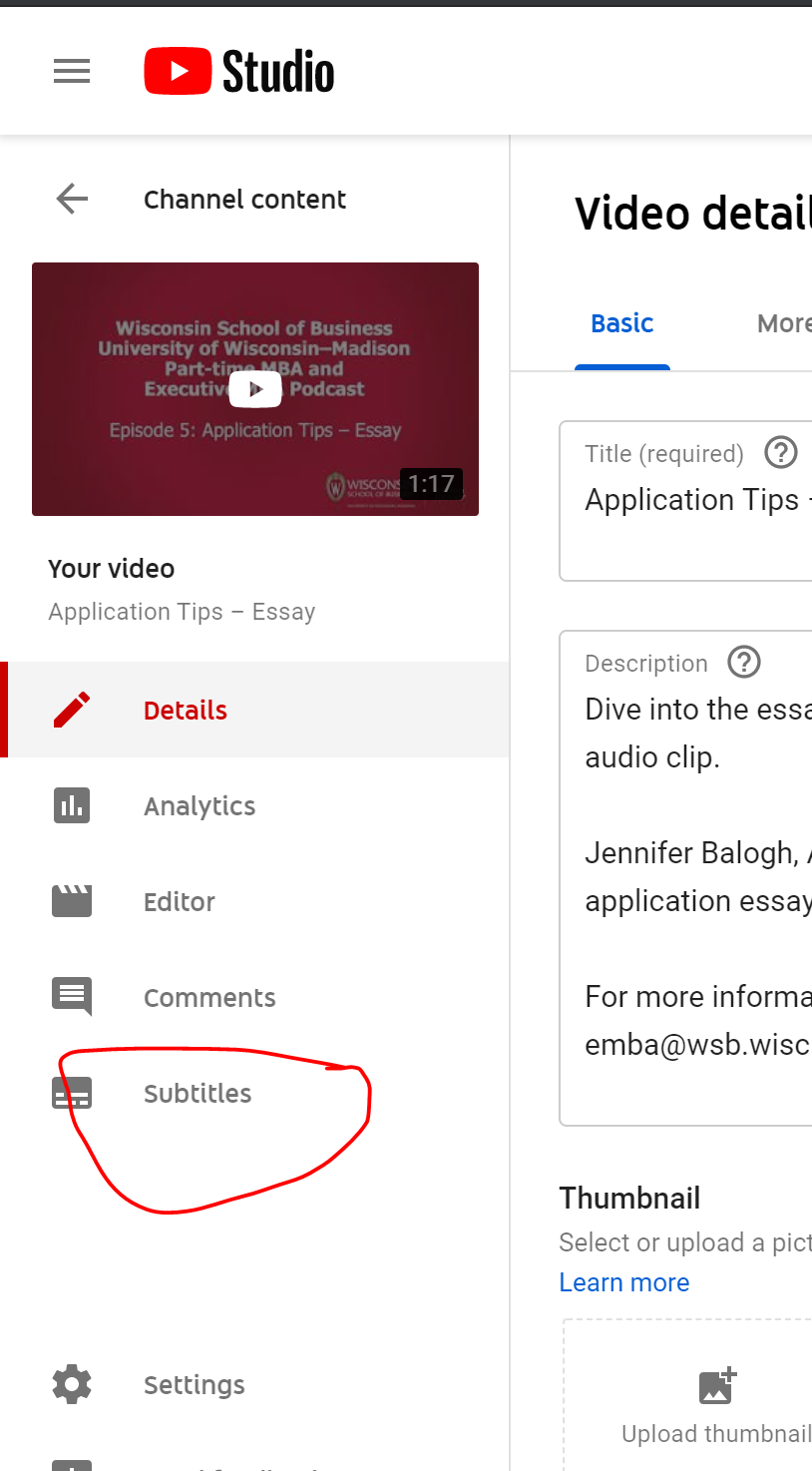
- Then select "Subtitles" from the left sidebar
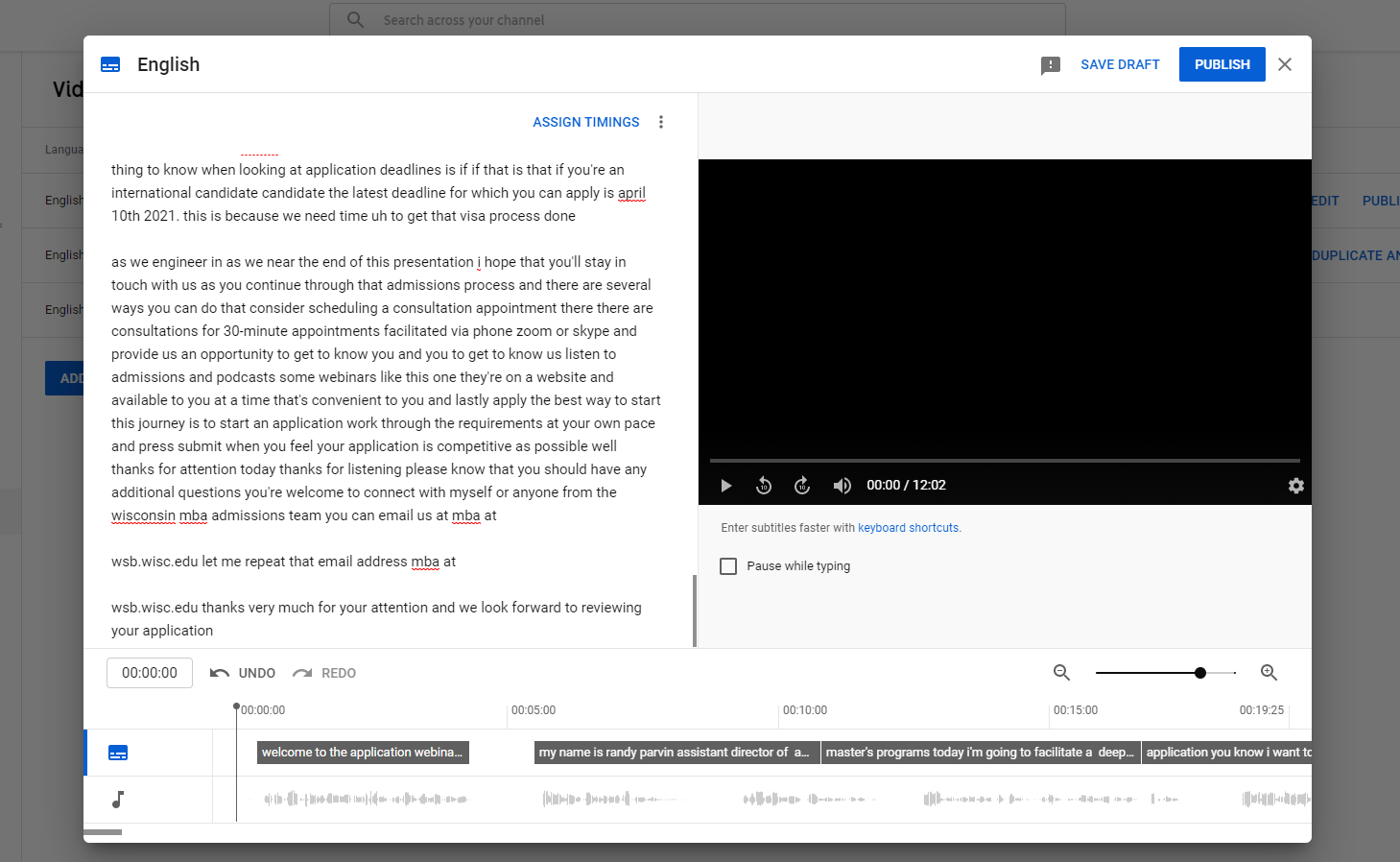
- Select Duplicate and Edit
s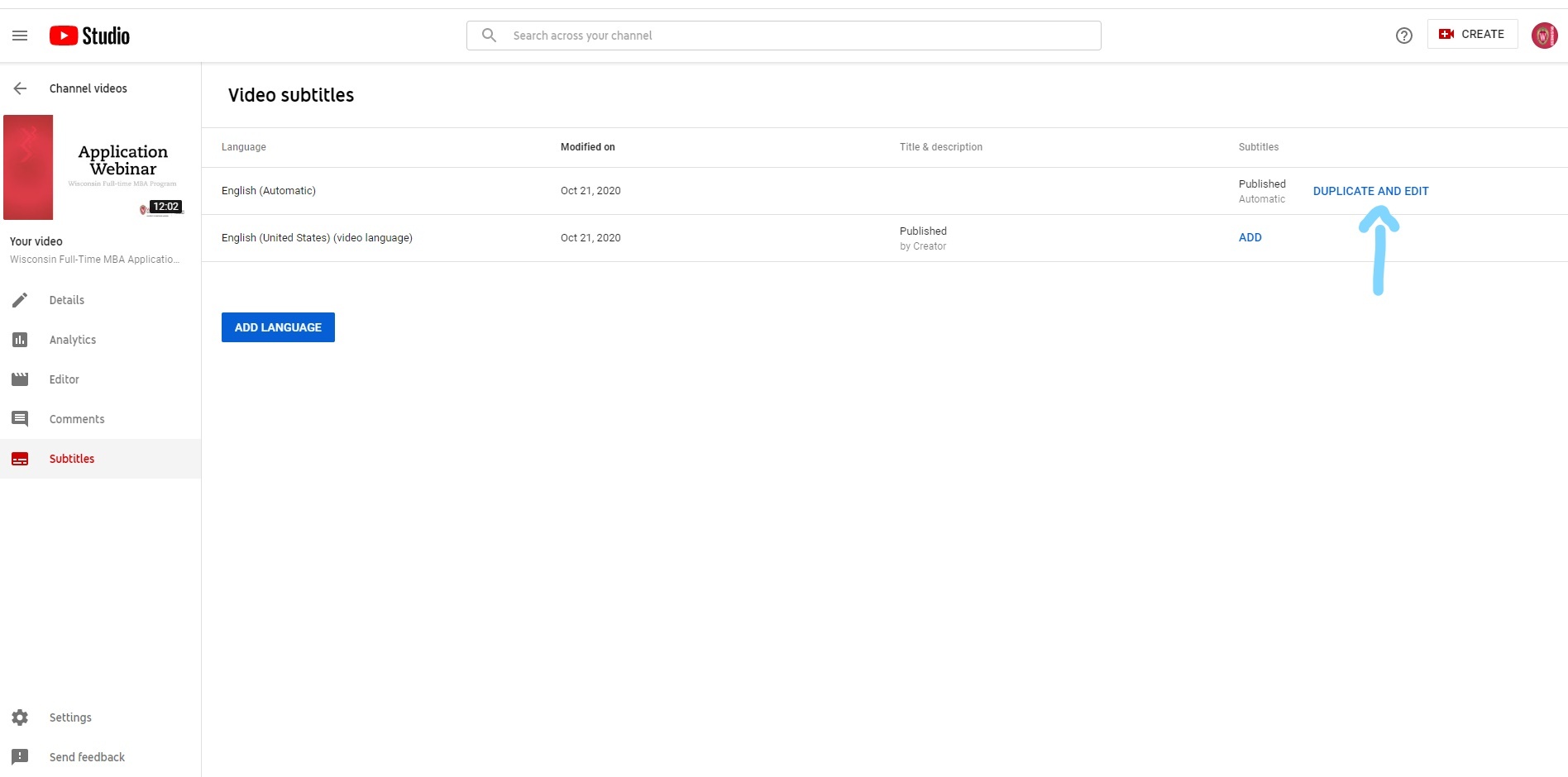
- From here you will be able to make any changes to the captions. Click Publish when you're done and changes will be published!
Add Video to Relevant Playlist(s)
For the best user experience, always add your videos to relevant YouTube playlists on our channel. Be sure to share the playlist link when sharing the video, so the user can see other relevant videos to the right of the video (rather than recommendations from other channels).
- Navigate to studio.youtube.com
- Choose Content in the left menu
- Find the video(s) you want to add to a playlist and select them (the search function is very helpful for this!)
- Choose Add to Playlist and find the playlist(s) you want. Then Save your changes
Related articles
| Content by Label | ||||||||||||||||||
|---|---|---|---|---|---|---|---|---|---|---|---|---|---|---|---|---|---|---|
|
...