
...
| Anchor | ||||
|---|---|---|---|---|
|
See also: Confluence > Files, File Naming Conventions and Best Practices, Accessibility compliance: PDF files without images
To add a link:
- Highlight the text you wish to link
- Click the insert link button on the editing toolbar.
- A box will pop-up with multiple options:
- To link to a file, click "Files" and then "Browse" to browse to the file on your computer that you wish to attach and link to.
- Make sure the file meets the standards for file names and accessiblity (File Naming Conventions and Best Practices and Accessibility compliance: PDF files without images).
- To link to a page within confluence, (for example another year's list of seminars), use the "Recently Viewed" or "Search" option, and find the page.
- To link to an external web page, such as https://wsb.wisc.edu, click "Web Link" and then page the link into the "Address" field.
...
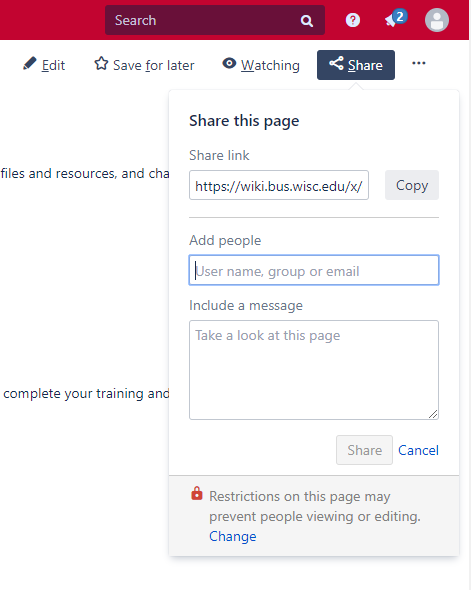
- Login to Confluence
- Find the page you want to share
- Click the "Share" icon
- Copy the URL with the unique id
...
Other Helpful Resources and How-to Guides
...