
...
If you'd like the mobile version of your image element to appear at screens that are sized 480px and less , instead of 645px and less, when the (when all the columns stack on top of each other), instead of being side by side645px and less, here's the fix:
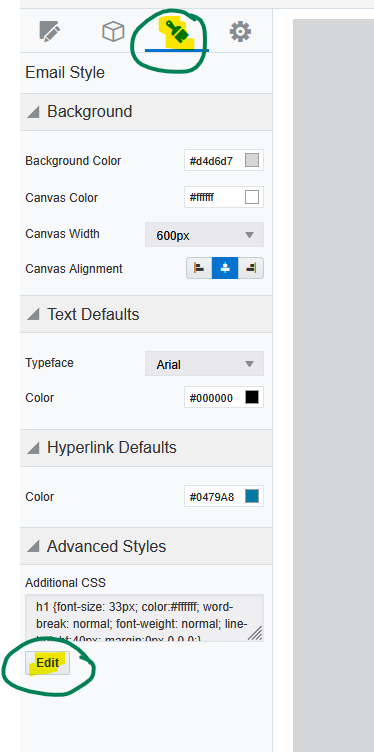
- Go to the paintbrush icon in the left sidebar, and under "Advanced Styles" click the "Edit" button.
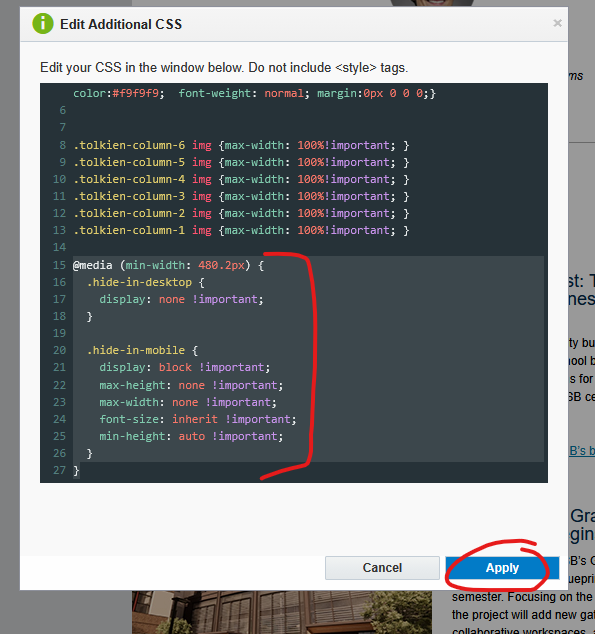
- Inside the additional CSS, paste in the following code, then click "Apply"
...
| Expand | ||
|---|---|---|
| ||
|
...
Image Columns Overlap on Tablet Issue (Outlook)
...