
Guests can be assigned parking at the Wisconsin School of Business through the department Admin. We currently hold 15 spots that can be "sold" per day as a service to our visitors. When assigned parking, an email will be generated and sent to the guest which includes a pin and/or barcode to enter our gates. Below is the process to use our terminals:
Gate Display
As you pull up to the parking gate, the screen will activate. Note: Our gates operate only if the magnetic sensors identify a car is present. Foot traffic will not be able to activate the gate.
LOT VACANT LOT FULL
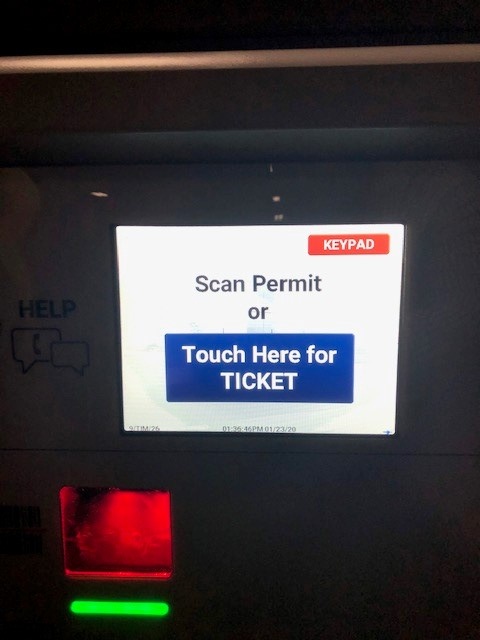
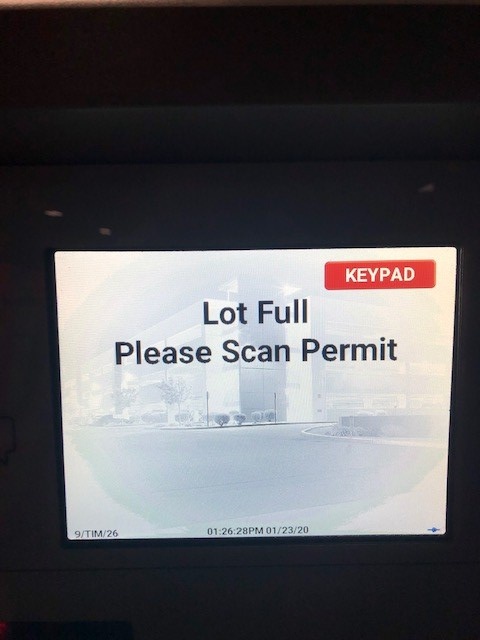
If you Do Not have a permit, press the "Touch Here For Ticket". Note: If the Lot is Full you must have a permit to enter.
If you do have a permit, either scan the bar-code at the red window or press the "KEYPAD" option at the top right of the screen.
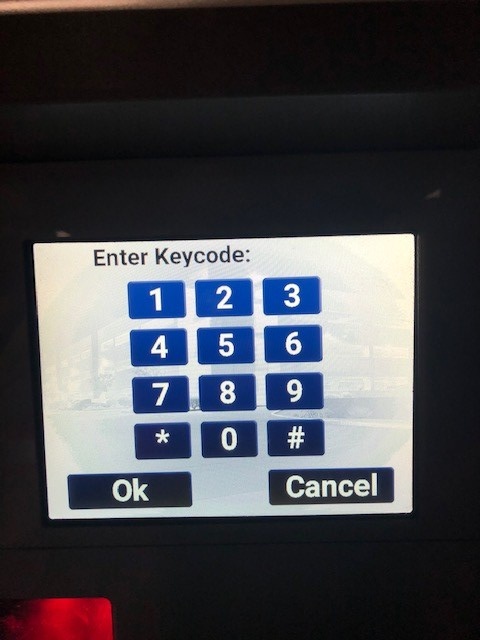
If you press the "KEYPAD" option, the user must enter the pin they were provided and press the "OK" button. Note: The # key will no longer work as "Enter" in our parking garage, YOU MUST USE "OK" TO ENTER.