Update a Feed
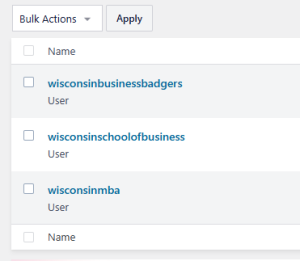
There are three Instagram accounts associated with WSB:
If an Instagram Feed stops updating on business.wisc.edu
Instagram accounts sometimes disconnect from the website, usually after a password change. When this happens, the associated Instagram feed stops updating and only shows posts from before the disconnect.
If you manage an Instagram account for WSB, you should have the Instagram Manager role on WordPress, and you can follow the steps below to reconnect it. Contact the web team if you need access.
How to reconnect your Instagram Feed:
- Log in to WordPress.
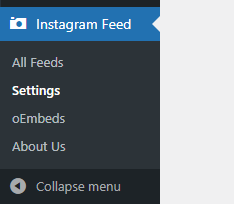
- Find "Instagram Feed" > "Settings" in the left sidebar
- Follow the "How do I fix my invalid source?" steps in the Smash Balloon Plugin documentation.
Please contact the Web Team if you need any assistance.
Moderate a Feed
Note that the following pages are often slow to load due to the Instagram plugin.
- First, you will need to be trained by the web team and be given access to the Instagram manager role on WP.
- Login to WP and select "Instagram Feed" in the left menu.
- Under All Feeds, select the name of the feed you need to moderate.
- The "Instances" column can be helpful for figuring out which page(s) a feed is displayed on. If you are still unsure which feed to update, please reach out to the web team and we can check for you.
- For example, the feed displayed on the 125th anniversary page looks like:
Name #WSB125 (hashtag) | Shortcode [instagram-feed feed=5] |
|---|
- Under the Settings tab, select Filters and Moderation, then Moderate your feed.
- Make sure moderation is enabled (toggle at the top).
- Mode should be set to Allow list to prevent unrelated or nefarious posts from appearing in the feed.
- Review the posts and approve any that you want displayed in the feed.
- Note: We have run into issues where posts are not loading in this
- Make sure to save your changes in the top right corner.
- View the page with your feed and check that posts are displaying as expected.
- Reach out to the web team with any questions or issues.
- Recommended maximum: 32 posts (multiple of 4)
- If your feed reaches the max., you can cull older posts in order to approve new ones and refresh your feed.