
...
Below are a few issues we've found, and the solutions for them. Please email the web team if you notice other problems, and we will try to find a fix.
Mobile vs Desktop Views
Over half of all emails are opened on mobile (smartphone) instead of desktop. It's important to design your email to look good both in mobile and desktop.
Eloqua does it's best to account for this, making elements "responsive" so that textboxes and images shrink to fit the screen, and multiple columns stack on top of each other at mobile sizes (on <480px wide screens).
Unfortunately, this isn't always enough, and sometimes your design for desktop will be at odds with your design for mobile.
Eloqua does have a useful feature to address this, a "Hide in Desktop" and "Hide in Mobile" toggle that can be applied to any element in your email.
Image Columns Overlap on Tablet Issue (Outlook)
...
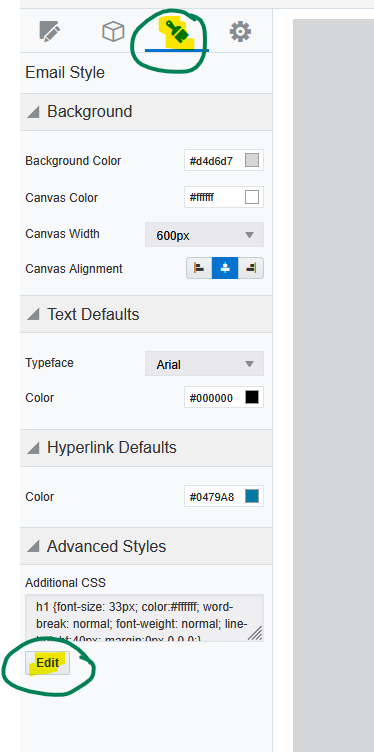
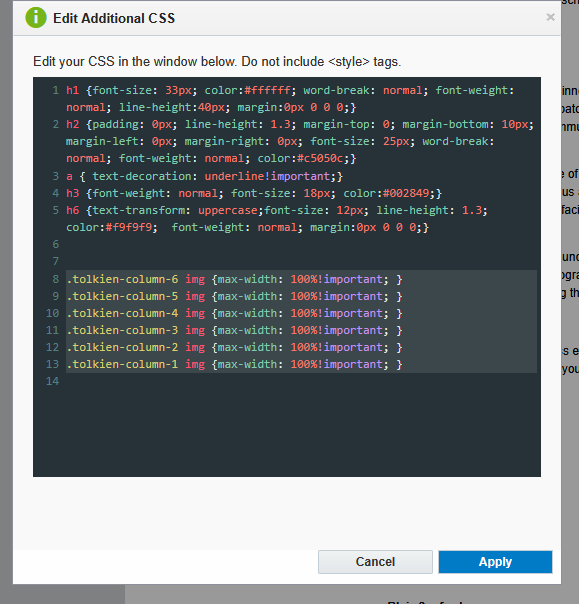
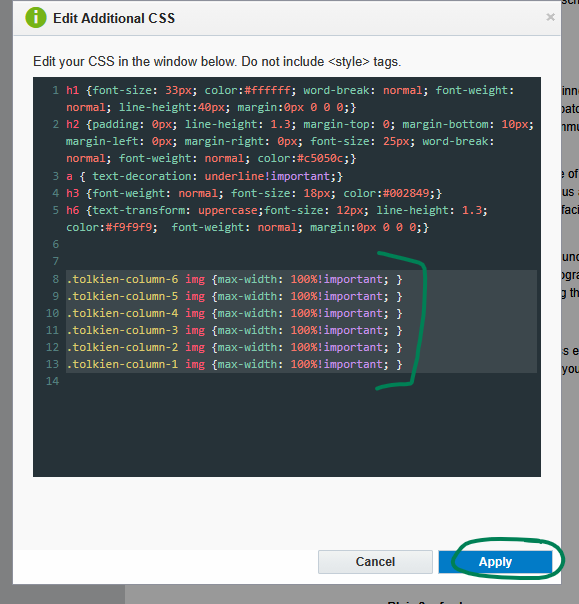
Inside the additional CSS, paste in the following code:, then click "Apply"
| Code Block | ||||||
|---|---|---|---|---|---|---|
| ||||||
.tolkien-column-6 img {max-width: 100%!important; }
.tolkien-column-5 img {max-width: 100%!important; }
.tolkien-column-4 img {max-width: 100%!important; }
.tolkien-column-3 img {max-width: 100%!important; }
.tolkien-column-2 img {max-width: 100%!important; }
.tolkien-column-1 img {max-width: 100%!important; }
|
...
| Expand | ||
|---|---|---|
| ||
|
The only drawback with this fix is that any image in a column that uses the image scale to adjust the size, gets changed to take up the full width of the column instead of whatever size you scaled it to. So make sure to use "autofit" for your images inside columns half-width or less.