If you're really particular about the design of an Eloqua email, you may notice small inconsistencies between the design of your email and how it actually shows up in your inbox in test and live emails.
Particularly when receiving emails in Outlook, an email client that is known for being out of date compared to others, these inconsistencies can become a major problem, especially when you want your emails to look polished.
Below are a few issues we've found, and the solutions for them. Please email the web team if you notice other problems, and we will try to find a fix.
Image Columns Overlap on Tablet Issue (Outlook)
On "tablet' screen sizes, which are often perfectly halfway between "desktop" and "mobile" screen sizes, design can get...weird.
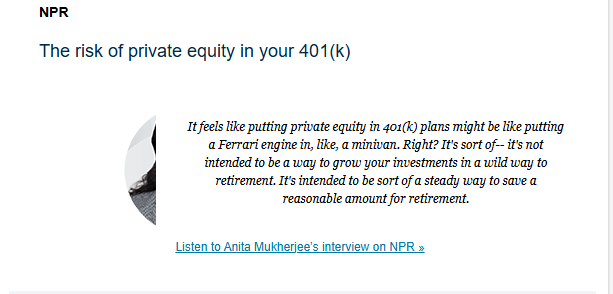
In the Outlook email client, when you have an image inside of a 2 column layout, there's this weird overlap between the image and the text beside it.
Screenshots of examples:


Fix
The web team is working on implementing this fix on all templates starting in Dec 2025, but if your email doesn't have this built in, you can easily add a manual fix.
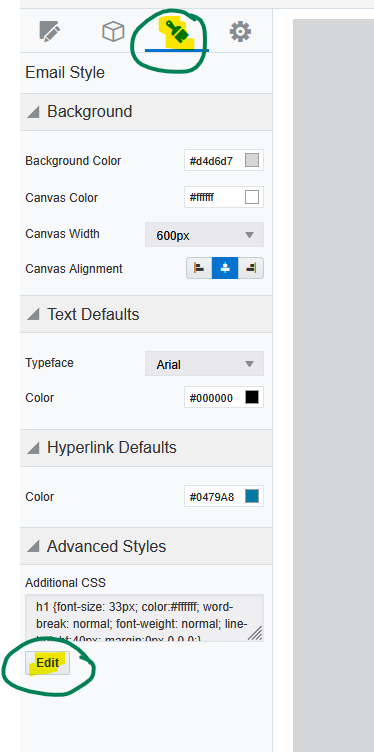
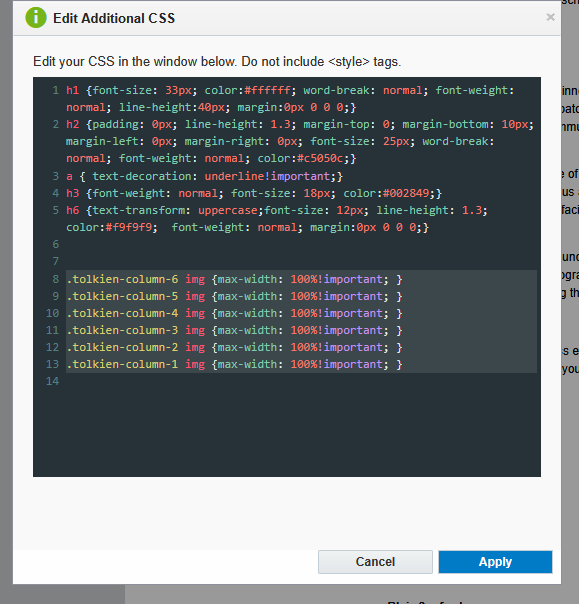
Go to the paintbrush icon in the left sidebar, and under "Advanced Styles" click the "Edit" button.
Inside the additional CSS, paste in the following code: