
...
Captions: For accessibility purposes, we should include captions in videos. Youtube automatically generates captions, but these are imperfect and must be reviewed and edited. Youtube may take some time to generate them, but once you have the (wait a few hours, usually no more than a day, after uploading the video). Once they are generated, make note of any edits you need to make, and do the following:
- Login into the WSB Youtube account (see above)
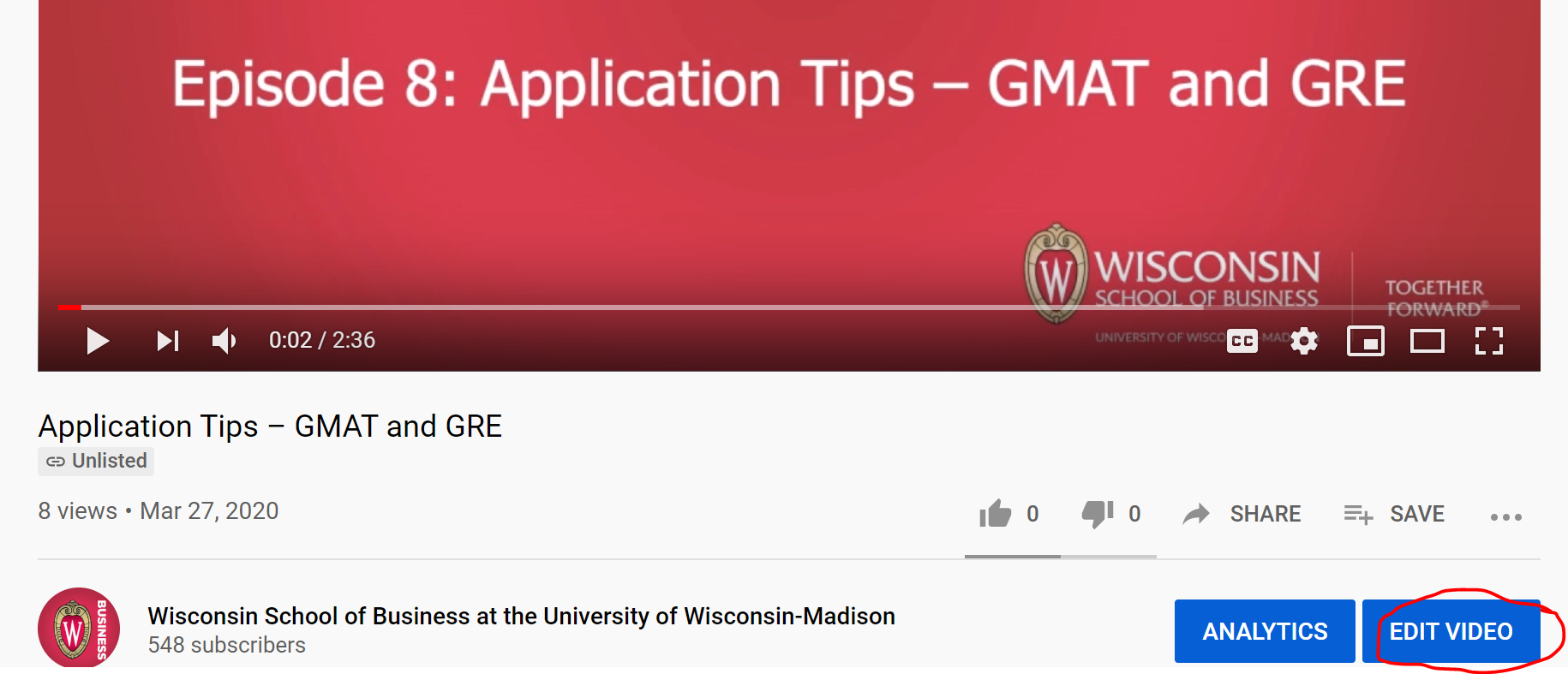
- Find the video you want to edit and select "Edit Video"
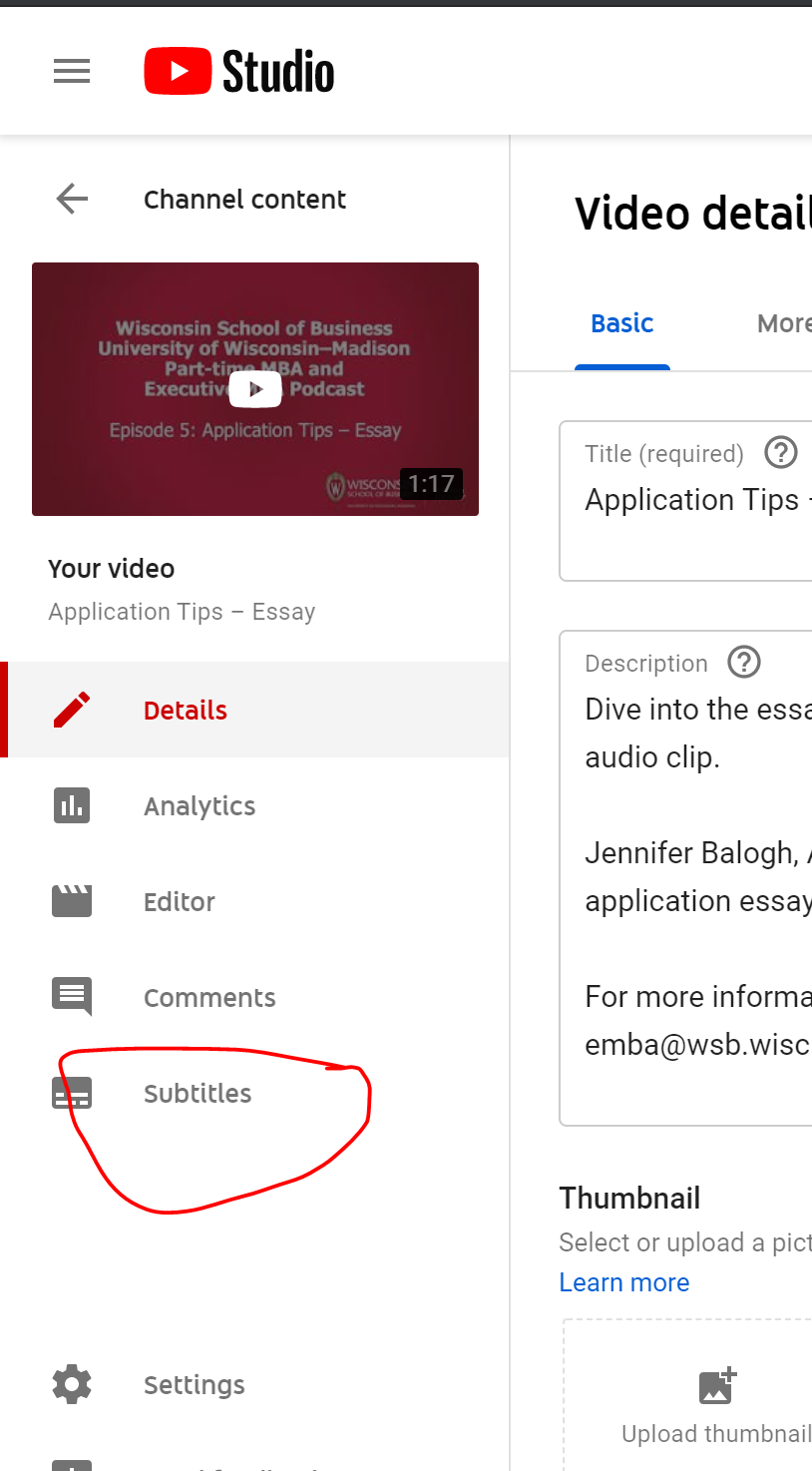
- Then select "Subtitles" from the left sidebar
- Hover over the automatic captions an and select the three dots (options)
s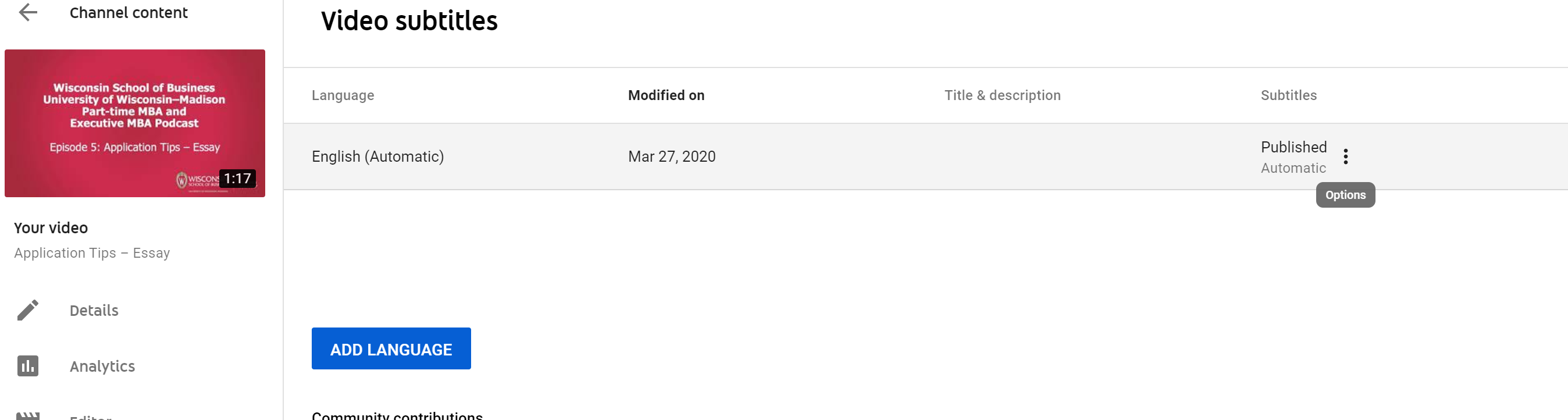
- Select "Edit on Classic Studio"
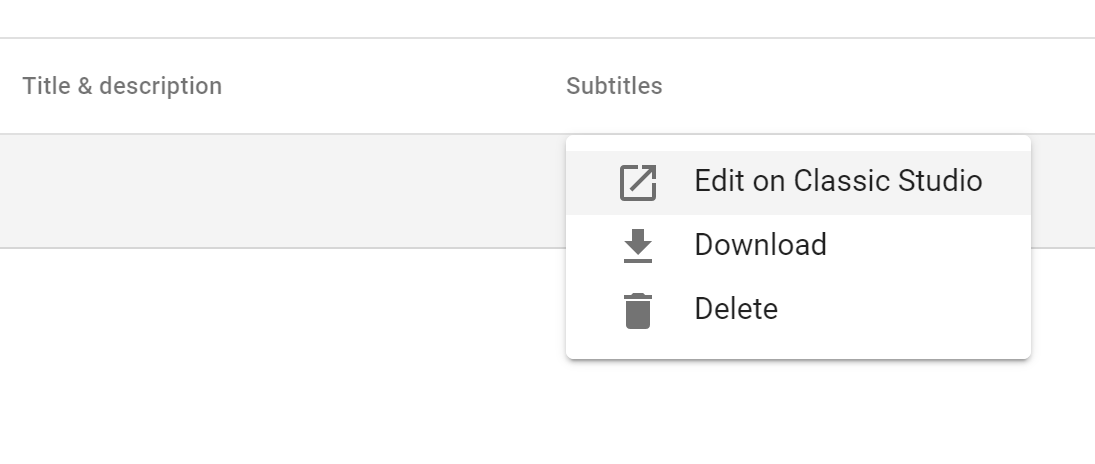
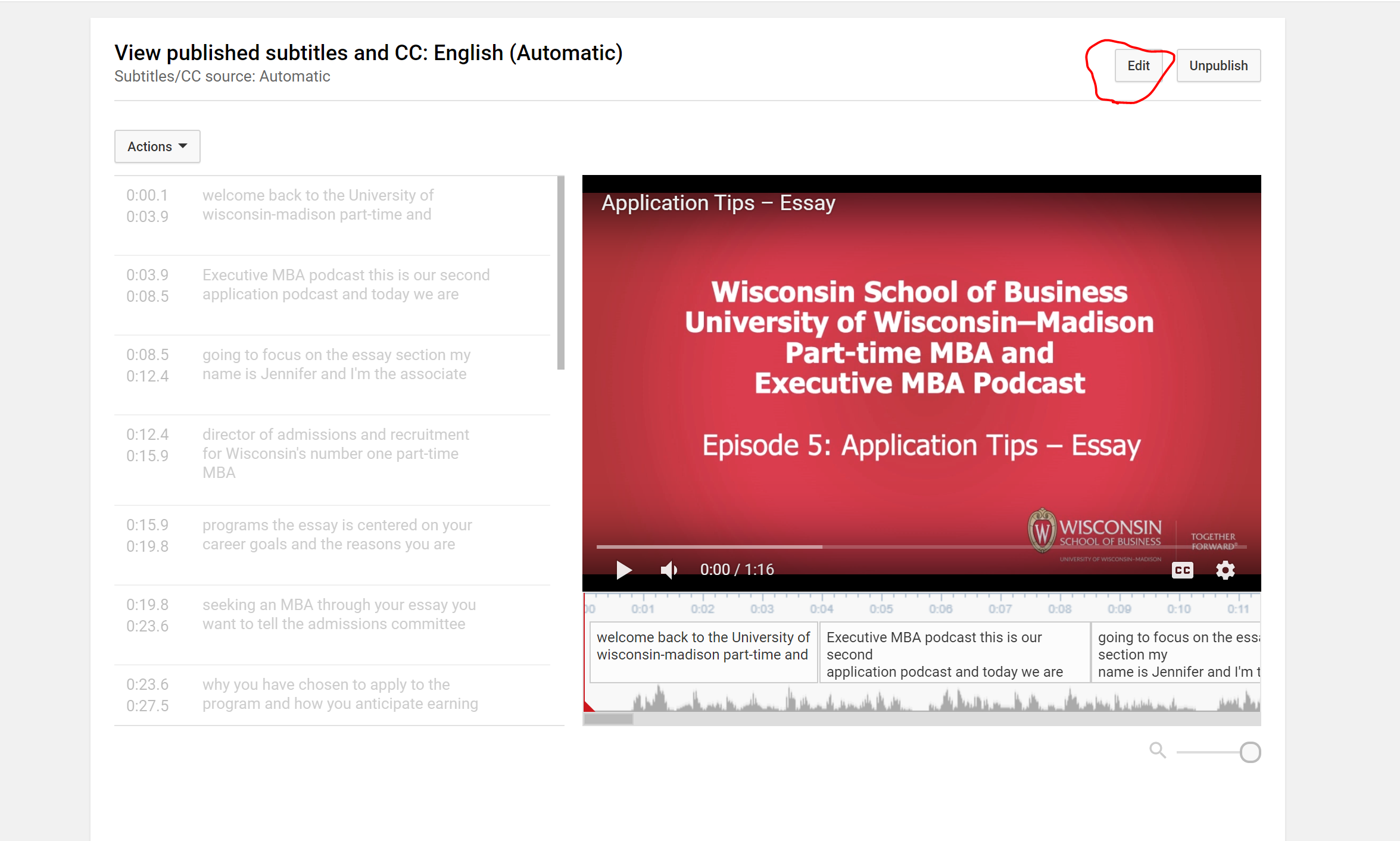
- Select "Edit". From here you will be able to make any changes to the captioning, click save when you're done and it will publish!
...