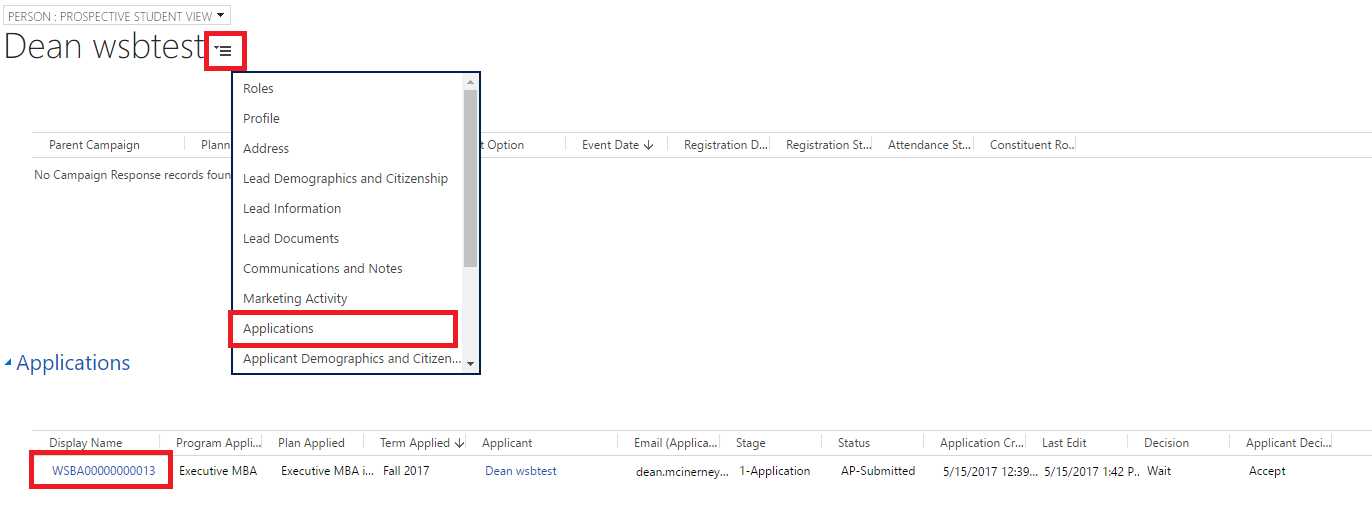
This article outlines how to access your program's admissions applications and shared application views.
- How do I access my program's applications?
- How do I filter the view?
- How do I access an Application from a Person Record?
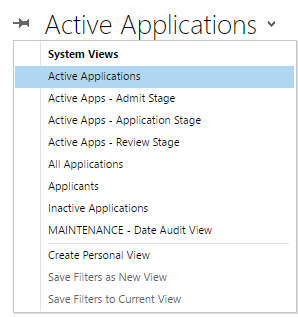
Active Applications views display current admissions year applications.

Use the Filter button to filter the data, as needed.
- Click on the filter button to the far right of the screen.
- Select the dropdown arrow on the category you would like to filter by.
- Select the filter you would like, and press OK.

Click on the Application Number WSBA000000XXXXX to open the application.