
Use this documentation to import multiple events at once into the WordPress Events Calendar. For further details, view the vendor’s documentation: Importing Calendar Data From a CSV File.
Things to make note of:
- Use a CSV file. See CSV File Formatting and Examples for more information on how to format the data into the excel spreadsheet.
- Must use 24-hour time
- Must use commas if adding multiple categories or tags
- Recommendation is to use yyyy-mm-dd format, mm/dd/yyyy also seems to work
- If using the recommended date format, you will need to set the data type to text when entering dates

- Featured images and venue maps don’t import, so they will need to be added manually after the import
- If using costs, free events should be set to 0


Steps:
Part 1 - Importing the events from a CSV file
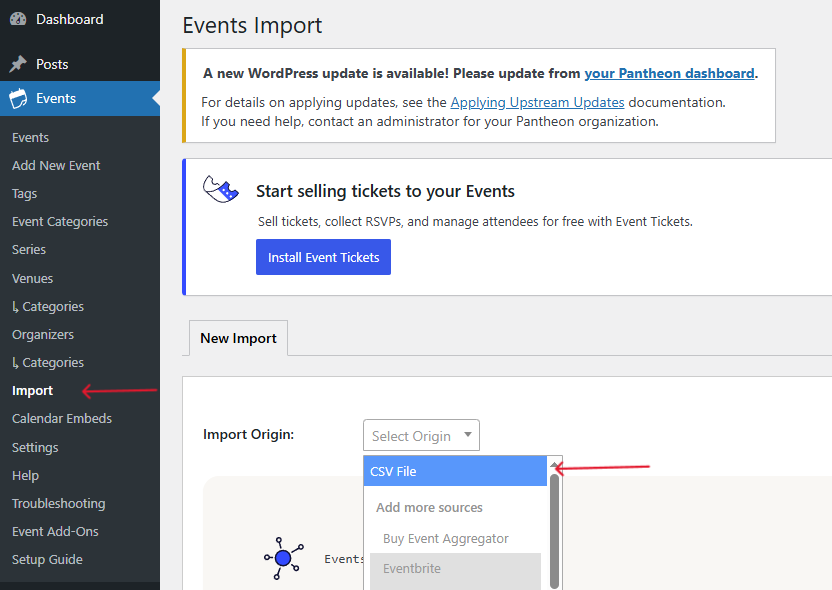
- To import the events, you will go to the Events Calendar in WordPress menu, select Import, and click Import Origin dropdown and select CSV File.
- Click on Content Type and select Events.
- Click on the Upload button.
- Select your CSV file in the media library.
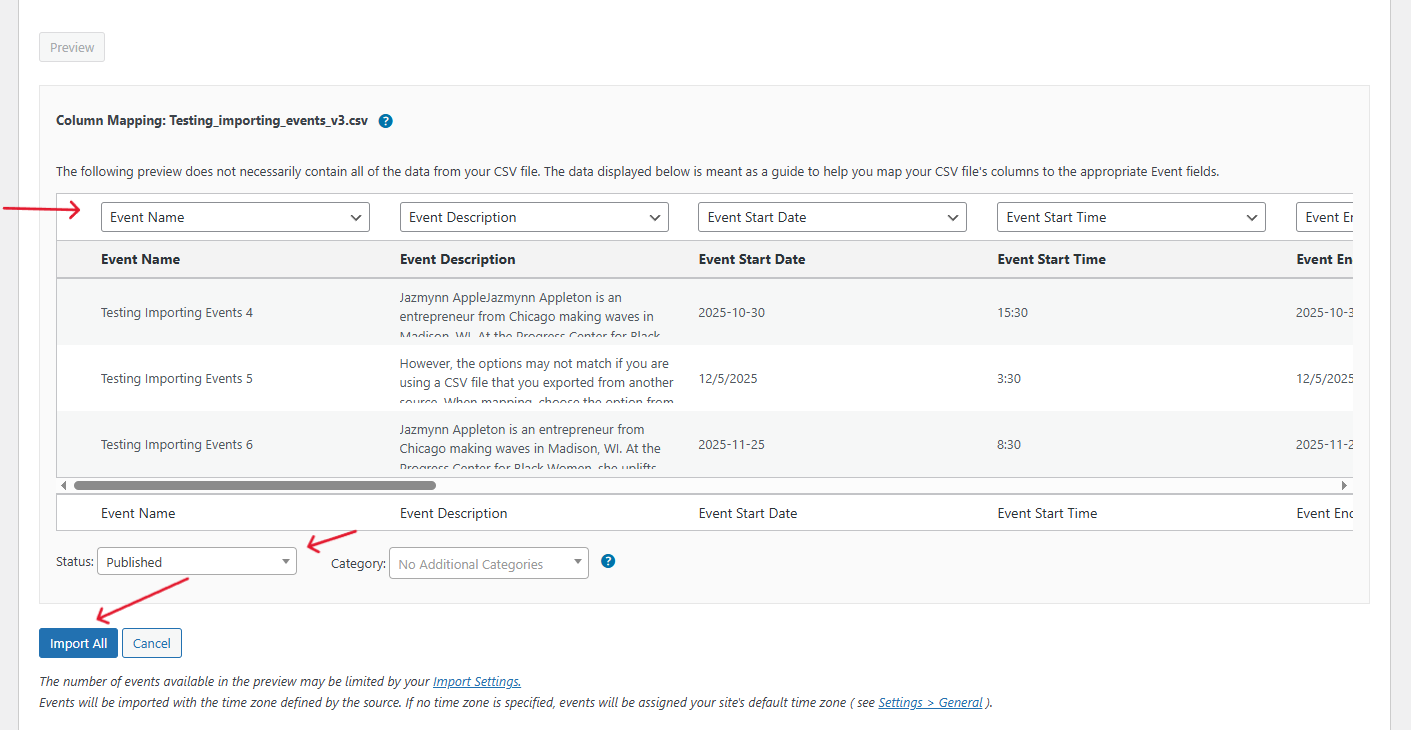
- Click on the Preview button.
- Go through each column of data to edit the field names.
- Once you are done, select Status then choose Draft or Published.
- Last, click on the Import All button.

Part 2 - Editing events after they’ve been imported
- Navigate to the event you want to edit
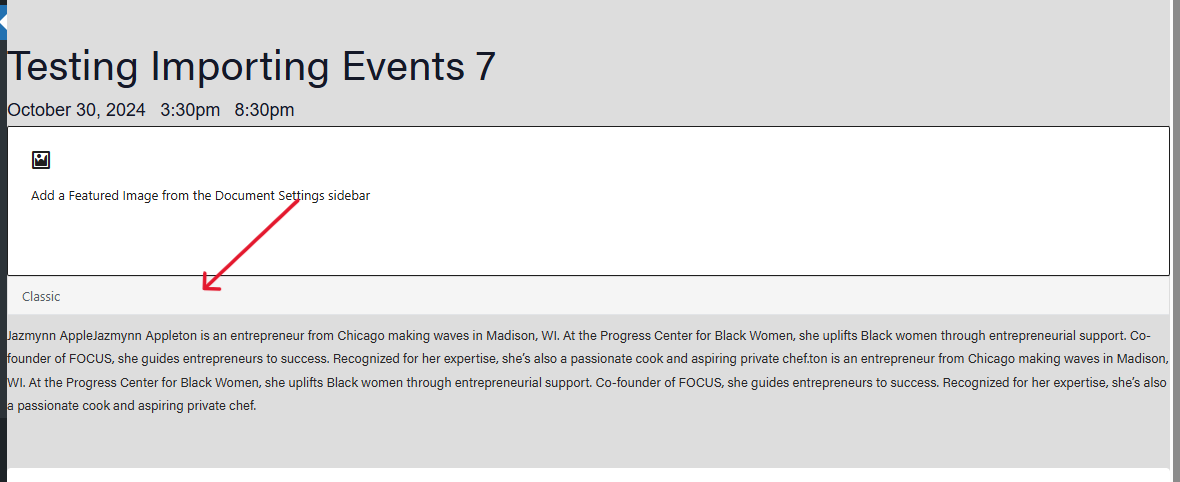
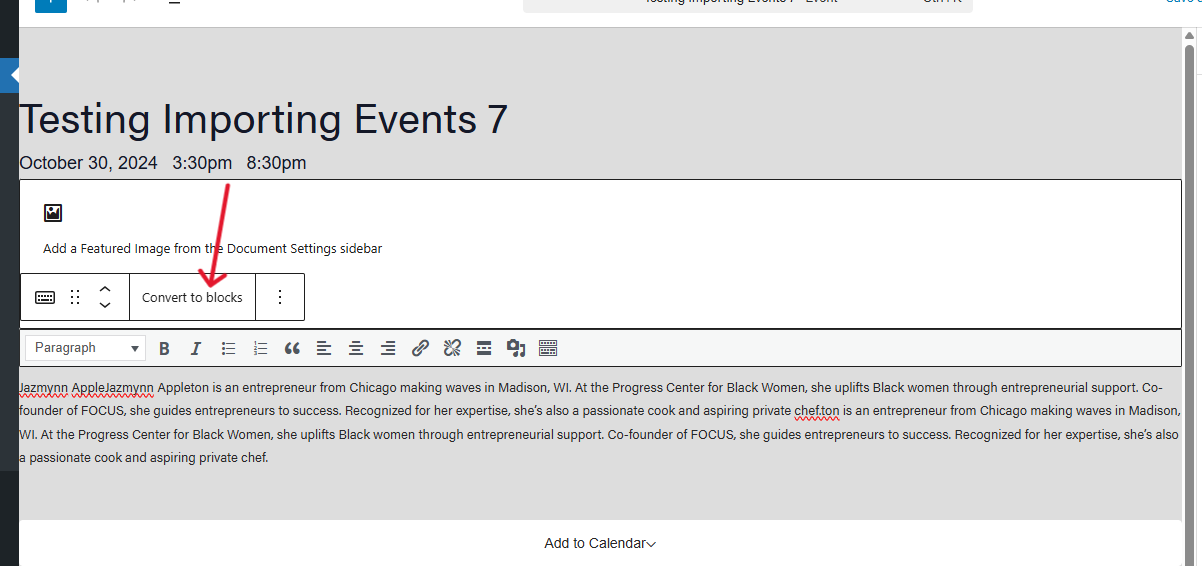
- The event editor is in Classic mode instead of Blocks mode, so click the bar that says “Classic” and choose “Convert to blocks” to make edits
Part 3 - Delete an imported event if needed
Option 1: In the listing of all events, find your event to delete and click “Hide & Ignore”. Then select the Ignored filter to view the event and click “Delete Permanently”.
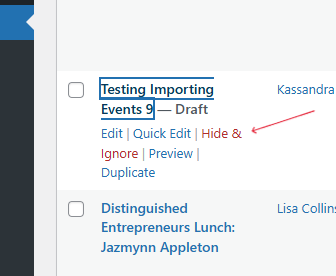
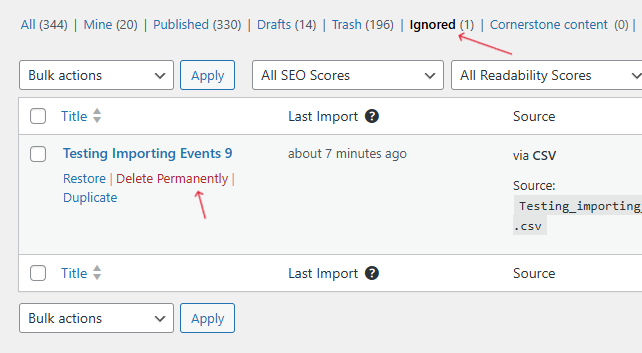
Option 2: Click into the event to delete and select “move to trash”. Then select the Ignored filter to view the event and click “Delete Permanently”.

Part 4 - Clean up
Delete the CSV file from the media library after you're done importing the events to the events calendar.